

We currently focus on Yoruba and Igbo. Our lessons are fun and online, taught by native experts.
Yes, we have a curriculum focused on helping our students move from complete beginner to advanced speakers. Our curriculum is structured and broken down into 5 levels. (Beginner, Elementary, Intermediate, Proficient and Advanced)
Our students start speaking from their very first lesson and often engage in comfortable conversation in 6 months – 1 year. Fluency in your language of choice is dependent on your commitment to learning and practice. **
No. Lingawa is tutor-led. Your subscription includes live online lessons with a native-speaking tutor, plus access to our companion learning web app for practice between sessions. Our self-learning resources are only available while your tutoring subscription is active.
No. The lessons are not free.
The cost of lessons varies, but feel free to check out the details here. Trust me, it’s worth it!
Of course! You have the option to pay for the entire course program, which allows us to reserve your preferred time slots with the tutor for the entire program. As a bonus, you’ll also receive a complimentary class when you choose this option at a discounted rate.
Bring your friends to Lingawa and we’ll thank you with a free lesson!
Here’s how it works:
We’ll book your free lesson as soon as everything’s confirmed. So go ahead, spread the word and start earning.
This article walks you through how to create your student account:
You’re All Set!
Your tutor match and lessons will be confirmed and you’re ready to go! 🎉
Designed to help you assess compatibility with the tutor:
If you run into any issues, simply click the support icon on your dashboard and choose from the available support options, we’re here to help!
Yes, you can! If your trial/ongoing lesson didn’t quite meet your expectations, we’re happy to help. Lingawa offers free tutor replacements to make sure you find the right fit.
Here’s how to set up your account and access your dashboard:
And you’re all set!
All lessons take place in the Lingawa classroom via Zoom, with additional interactive learning tools available on the Lingawa dashboard.
You can login to your Lingawa student account from your learning portal link below:
learn.lingawa.com
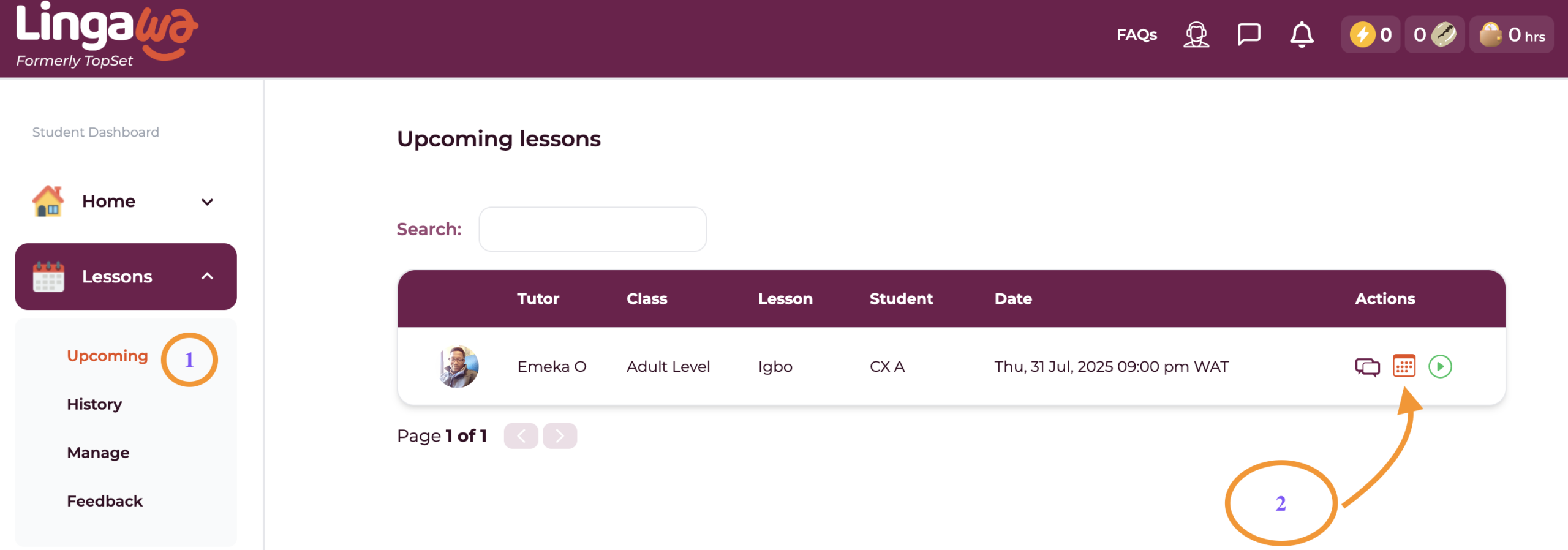
Once you login successfully, you’ll be met with your student dashboard home page where you can access your lessons from the Navigation Sidebar under “Lessons”.
To access your classroom, click on “Upcoming” to see your next lessons. Then click on the green play button next to the date for your lesson to launch the classroom.
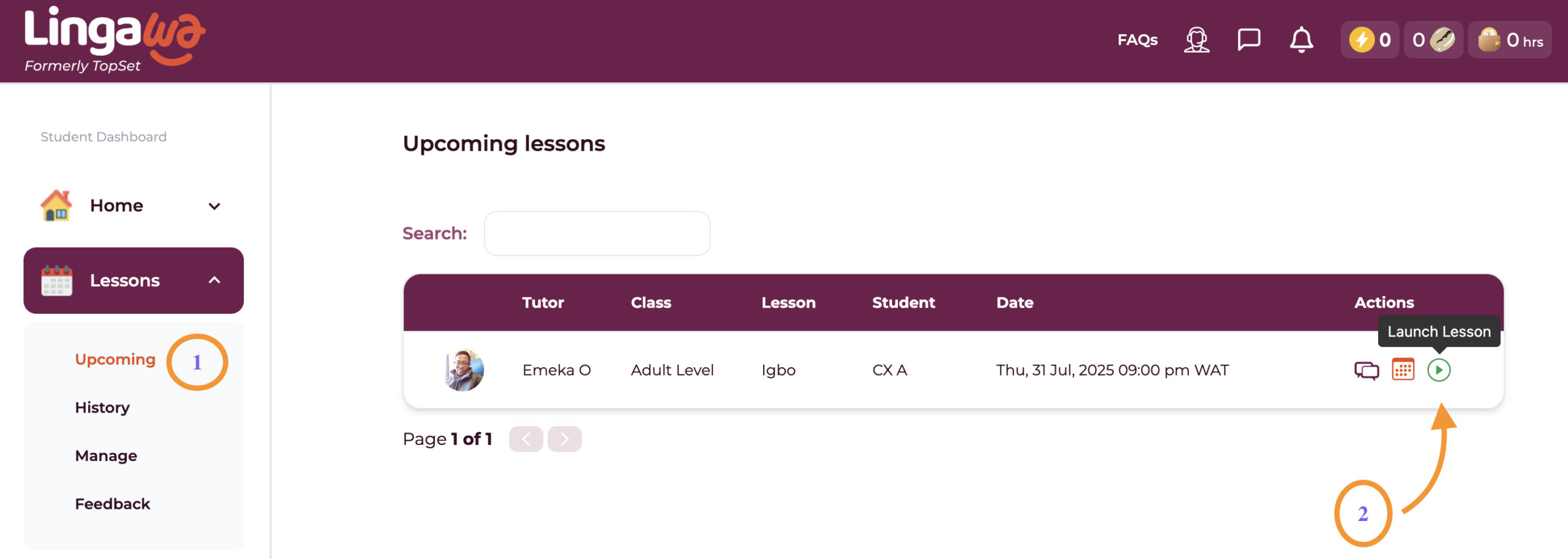
All student lessons are currently held via Zoom, so you’ll be redirected to the Zoom meeting link where your tutor will be waiting for you to start the lesson.
Happy Learning⭐
Hi! Here’s how to launch a lesson from your dashboard:
Click Launch Lesson to join your lesson.
On your dashboard, click on the Cowry icon ( ) at the top right menu on your screen. This will display the rankings on the Cowry Leaderboard.

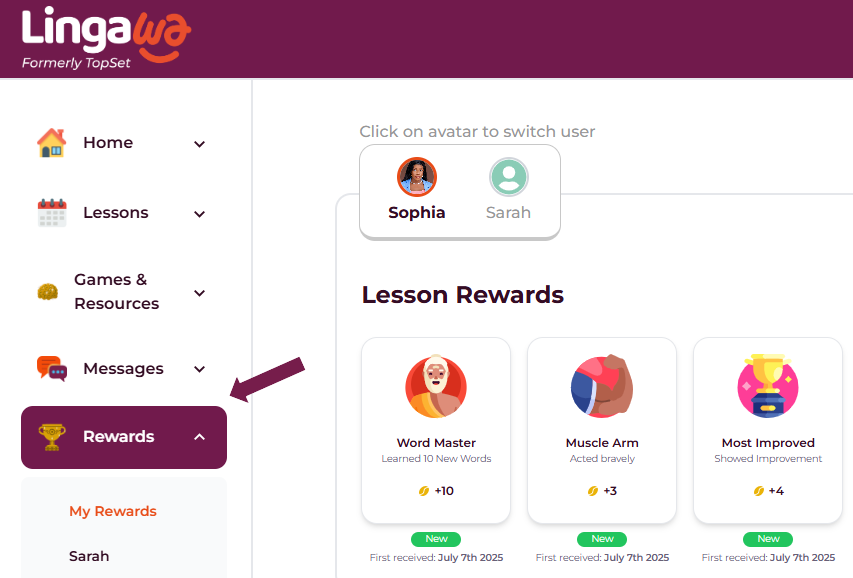
Enjoy exploring your achievements!
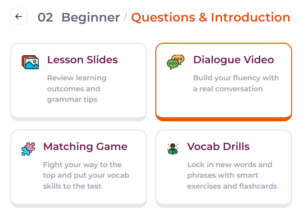
To explore lesson resources:

Happy learning!
A built-in platform feature designed to help you improve your speaking skills both during lessons and on your own outside of class.
How to Start:
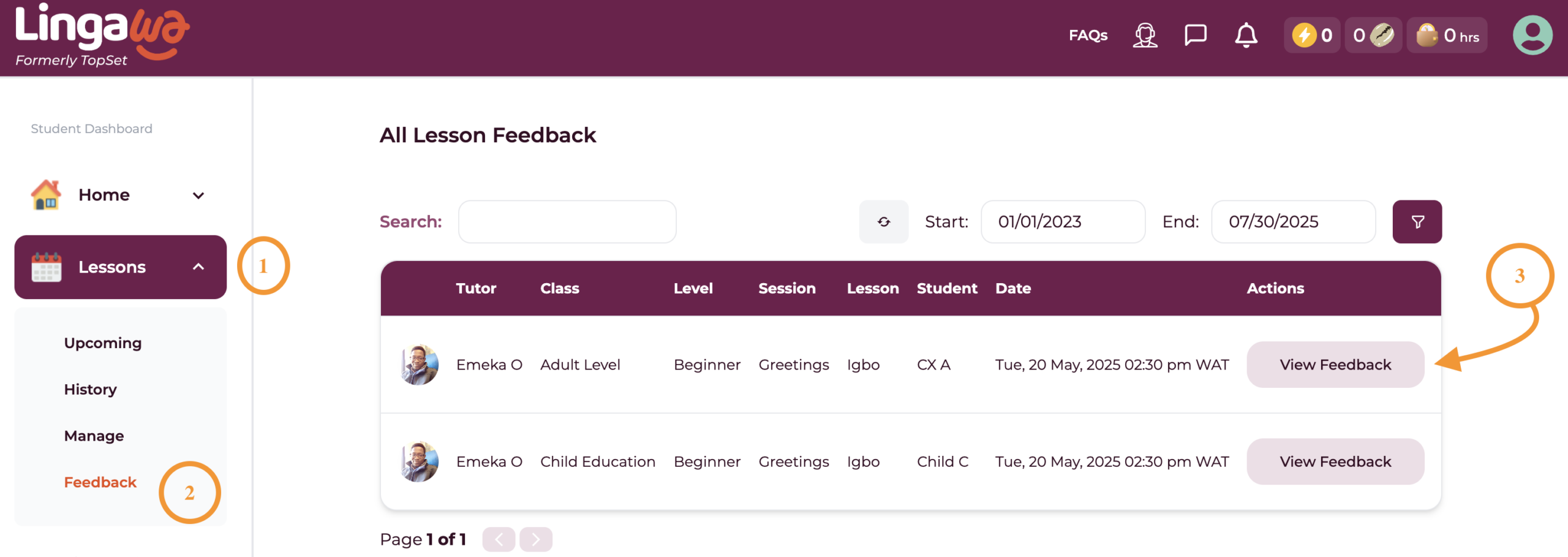
Hi! Here’s how to check your tutor’s feedback:
This guide is designed to help you assess whether a tutor is the right fit for you. It also gives you the opportunity to share any concerns or feedback regarding your learning resources, lesson pace, or overall experience:
After each lesson, your tutor will share a rating link with you. You can use this link to rate your class by simply selecting the emoji that best reflects your experience and adding any comments you’d like to share about the session.
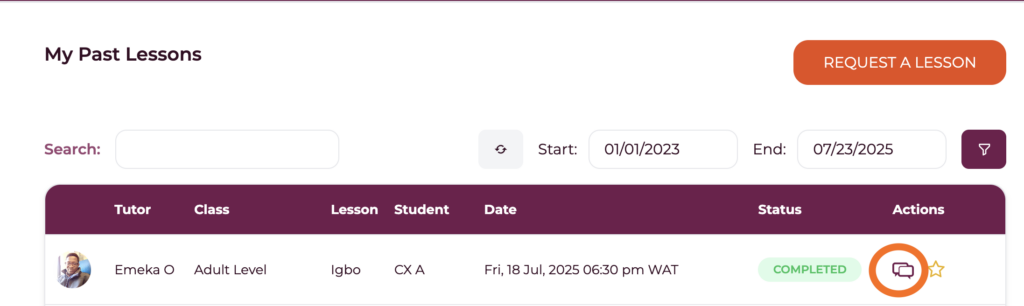
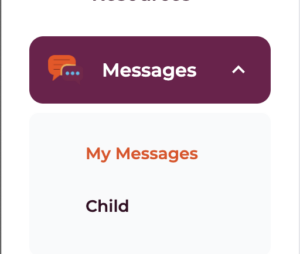
If you miss the link and still wish to leave feedback later, just follow these steps:
Important privacy reminder: Don’t share personal contact info (phone, email, external links)
Need to Cancel a Lesson?
No problem—just contact our support team, and we’ll take care of it for you.
Just a heads-up: cancellations must be made at least 12 hours before your scheduled lesson to avoid forfeiting the session.
We’re really sorry if this happens! Just reach out to our support team right away by email at lessons@lingawa.com, WhatsApp, or phone call.
We’ll look into it quickly and make it right by offering a refund, helping you reschedule, or arranging a replacement tutor.
Don’t worry—you won’t be charged for any missed lessons caused by a tutor’s absence.
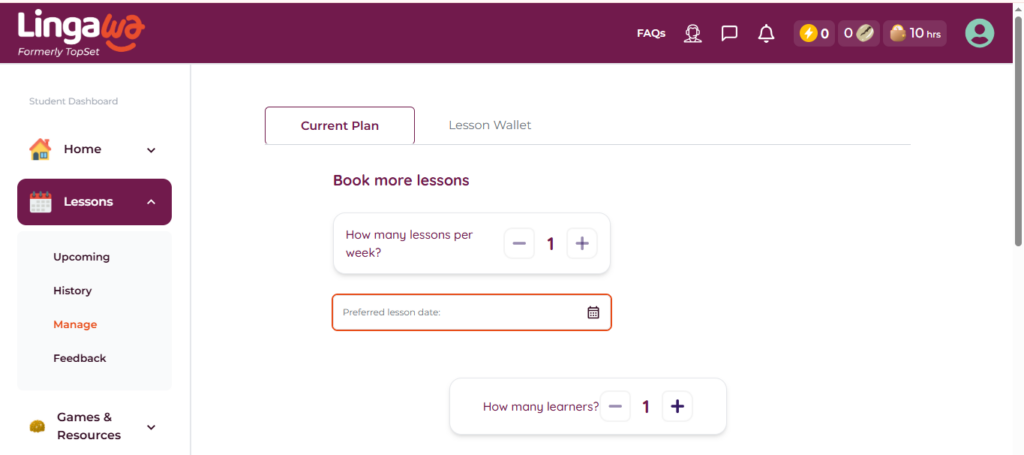
If you run out of lessons and need to book more, simply navigate to your dashboard, click on the Lessons > Upcoming Lessons > Book a lesson > Select Lesson package.
If you have an active subscription, your lessons should autobook once the booked lessons are exhausted. If they aren’t, please reach out to us via email or WhatsApp to charge your card and book more lessons for you.
To increase the frequency of your lessons per week, kindly ensure your account is funded (insert article link to fund account)
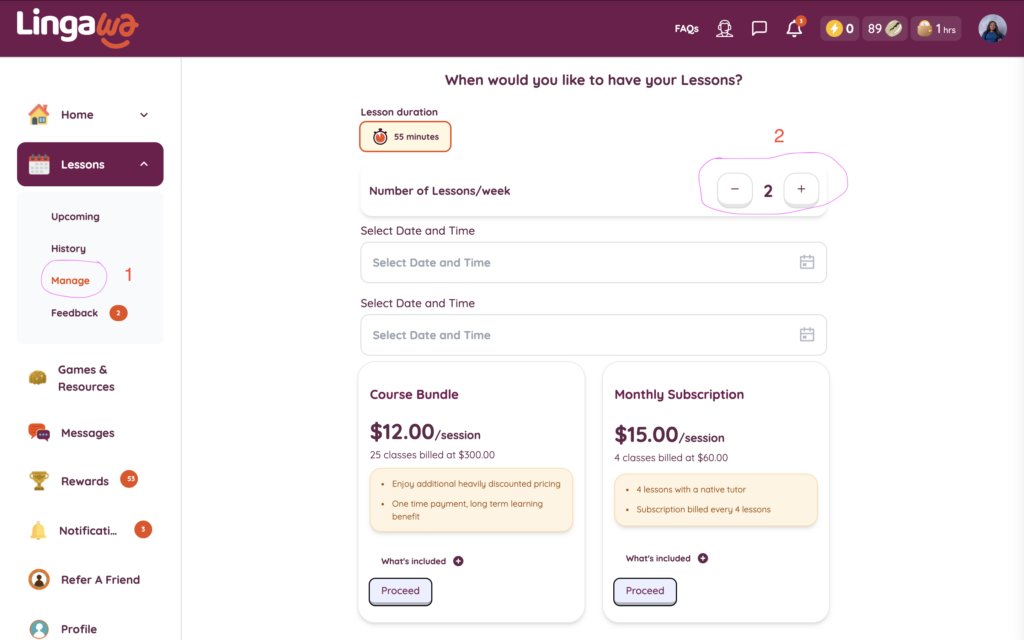
We’ve updated our standard lesson length to 55 minutes to make scheduling easier for everyone. It helps avoid back-to-back booking issues and gives you more flexibility.
You can now book:
Still on the old 1-hour plan? You’ll be prompted to switch when you book next. Existing bookings and credits stay the same—only new lessons follow the 55-minute format.
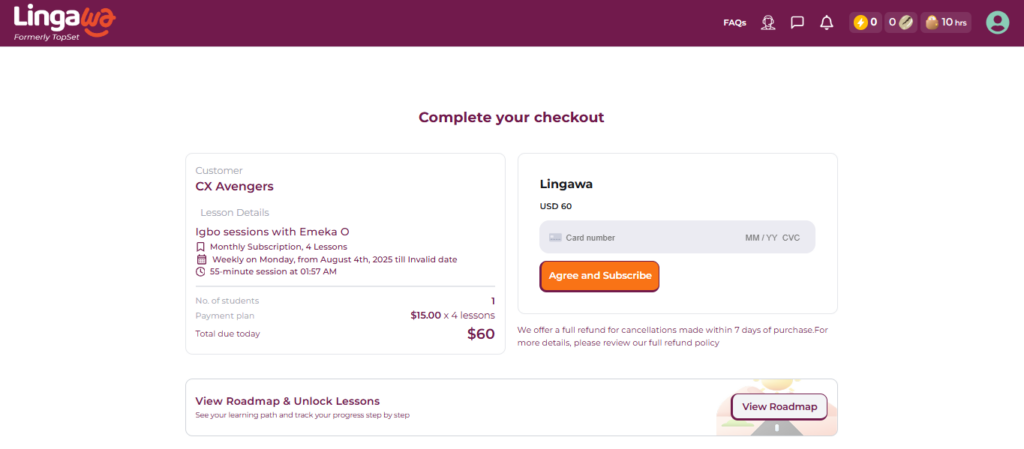
You can start a subscription using the following steps:
1. Visit Lingawa.com
Open your browser on your phone or laptop and go to www.lingawa.com.
If you experience any challenges with subscribing, you can reach out to us via email or WhatsApp to request assistance or a quick resolution.
The payment plans available are monthly subscriptions and bulk invoice payments. Lingawa accepts the following payment methods (for trials and subscriptions)
Payments are processed in USD, GBP or CAD depending on your location.
To add or remove your card:
To remove a card, please contact our customer support team via email on lessons@lingawa.com or send us a WhatsApp message
To see the history of lessons payment on Lingawa:
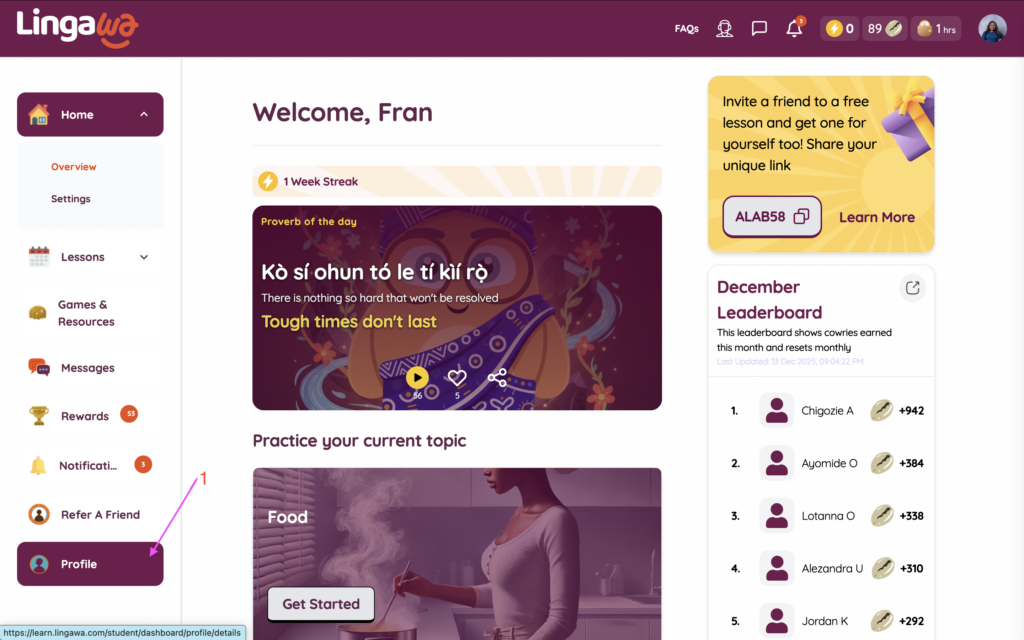
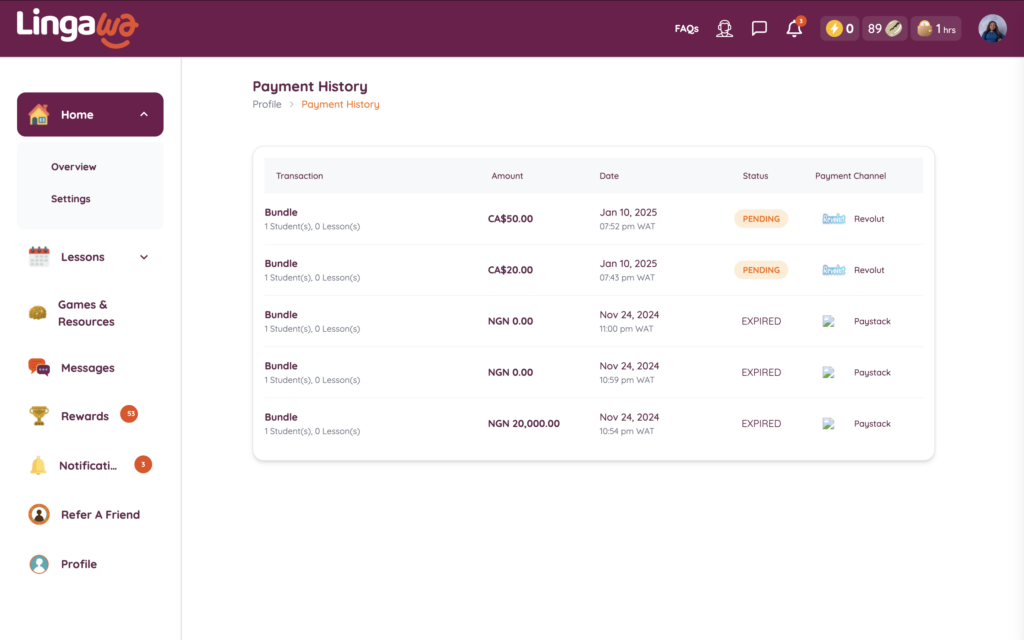
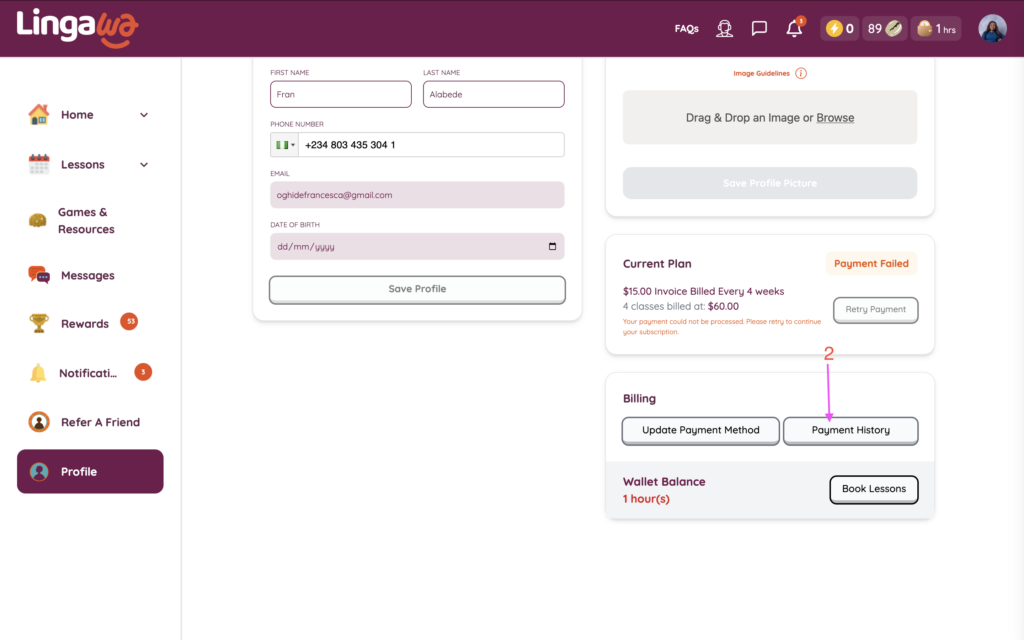
Need a refund? Just follow these steps:
Need to cancel your subscription? Customers can request to pause instead of cancelling outrightly, when they want to take a break.
No, each lesson is conducted on a one-on-one basis, providing a safe and focused learning environment for your child. If you have multiple children, they can be in the same group class, but we do not add other students to their group.
No. Our lessons are conducted online through the Zoom conferencing platform.
Each lesson session lasts for 55 mins for adults and 25 minutes for kids below 7 years.
We recommend committing to 1-2 classes per week, along with completing assignments and regular practice for the best results.
Yes, our lessons are quite flexible. In a case where you’d like to reschedule a session, there is a 24-hour window that allows you to reschedule your class directly on the Lingawa dashboard. We recommend that you contact your instructor via the dashboard to suggest an ideal time that works for you both.
If you are unable to launch your lesson from the dashboard directly, please check the following:
At some point during your lesson, your tutor might require you to share your screen in order to review the language resources available for your current topic.
You can access the language resources for your topics on the Lingawa student dashboard. Please see the section below: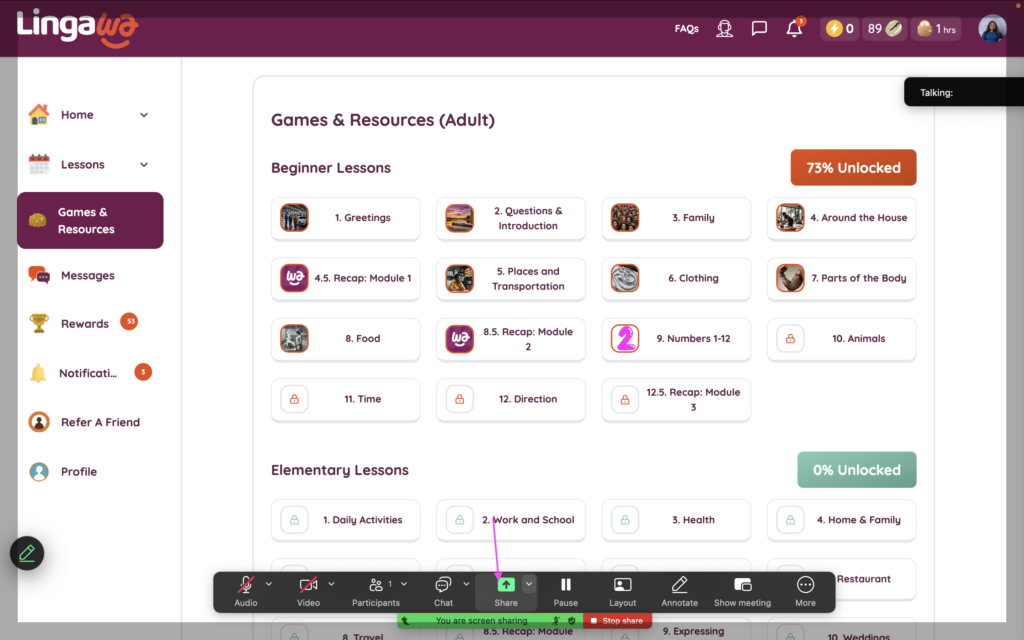
To share your screen, simply click on the share button under your meeting controls at the bottom of the page.
Once you click share, a pop-up will appear giving you the different sharing options. At the top of the screen share modal, click Screens, Documents, or Advanced.
Under screens, you can either share the entire screen, or other tabs open. Simply click on the website screen, and you can review your language resources with your tutor.
Happy Learning⭐
There are several factors that can prevent you from successfully joining your lesson on Lingawa. Please see some below:
For any other issue not mentioned, simply message your tutor on the dashboard or reach out to the Lingawa admin for assistance.
Happy Learning⭐
To resolve any issues regarding video or audio on your Lingawa lesson, please check the steps below:
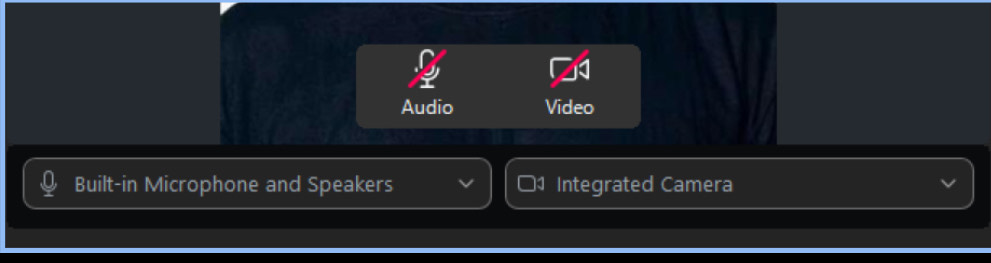
Happy Learning⭐
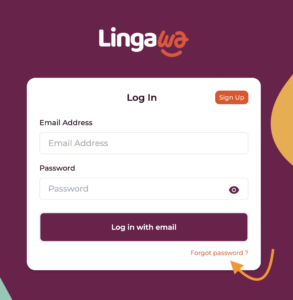
What if I’m having trouble changing my password?
To update your profile details, follow these easy steps:
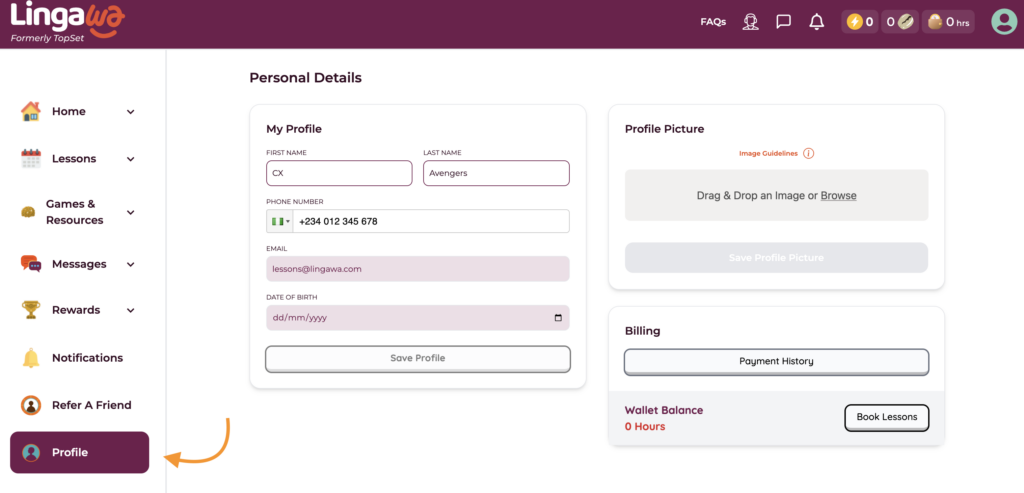
What can I update in my profile?
How do I change my profile picture?
What if I’m having trouble saving my profile updates
Can students change their email address? 📨 Not directly, no. At the moment, only our support team can help update your email address.
How do I request an email change?
Ready to say goodbye? Here’s how:
⚠️ Note: Deleting your account does not cancel scheduled lessons or refund unused credits—those must be managed separately.
Helps you assess your proficiency and improvement over time:
Our lessons are grouped into 5 levels of fluency – Beginner, Elementary, Intermediate, Upper Intermediate, and Advanced.
We will conduct an assessment in your first class to determine the right level for you and get you started.
Our beginner course comprises 25 lessons covering foundational topics, common everyday phrases, pronunciation, and tones. With this, you can engage in basic, everyday conversations in Yoruba fluently and confidently.
Elementary Level (25 lessons): Expands on beginner skills, covering more complex sentences, common phrases, and introducing key grammatical concepts.
For a detailed overview of the lessons in each level, you can explore the breakdown here for Yoruba and Igbo.
🧑🏽💼 Who can submit a testimonial?
Anyone who has taken Yoruba or Igbo lessons with Lingawa and wants to share their experience.
📍 What should I include in my video?
You can cover any of these topics:
Your name, what you do, and where you’re from.
What part of Nigeria or the world you or your family are from.
Why you decided to learn Yoruba or Igbo.
How Lingawa helped make learning fun and engaging.
Your connection with your tutor; was it meaningful?
Whether your tutor helped you learn in a way that really worked for you.
Positive experiences you had while learning with Lingawa.
How Lingawa helped you feel closer to your Nigerian roots.
Your initial feelings before joining Lingawa; any concerns or objections?
How those concerns changed after you started learning with Lingawa.
🎁 Is there a reward for submitting my testimonial?
Yes! You’ll receive a FREE lesson as a thank-you for sharing your story.
📫 How do I submit my video?
Record a short video (1–2 minutes) sharing your Lingawa experience.
Email it to lessons@lingawa.com with the subject line: Lingawa Testimonial
Alternatively, message your video to us via WhatsApp at +1-856-386-7738
Once we receive it, we’ll schedule your free lesson.
💡 Tips for a great video
Keep it natural and personal
Speak from the heart; your story matters
Good lighting and clear audio make a big difference